
VMP Diary (Veterinary Medicinal Products)
VMP Diary
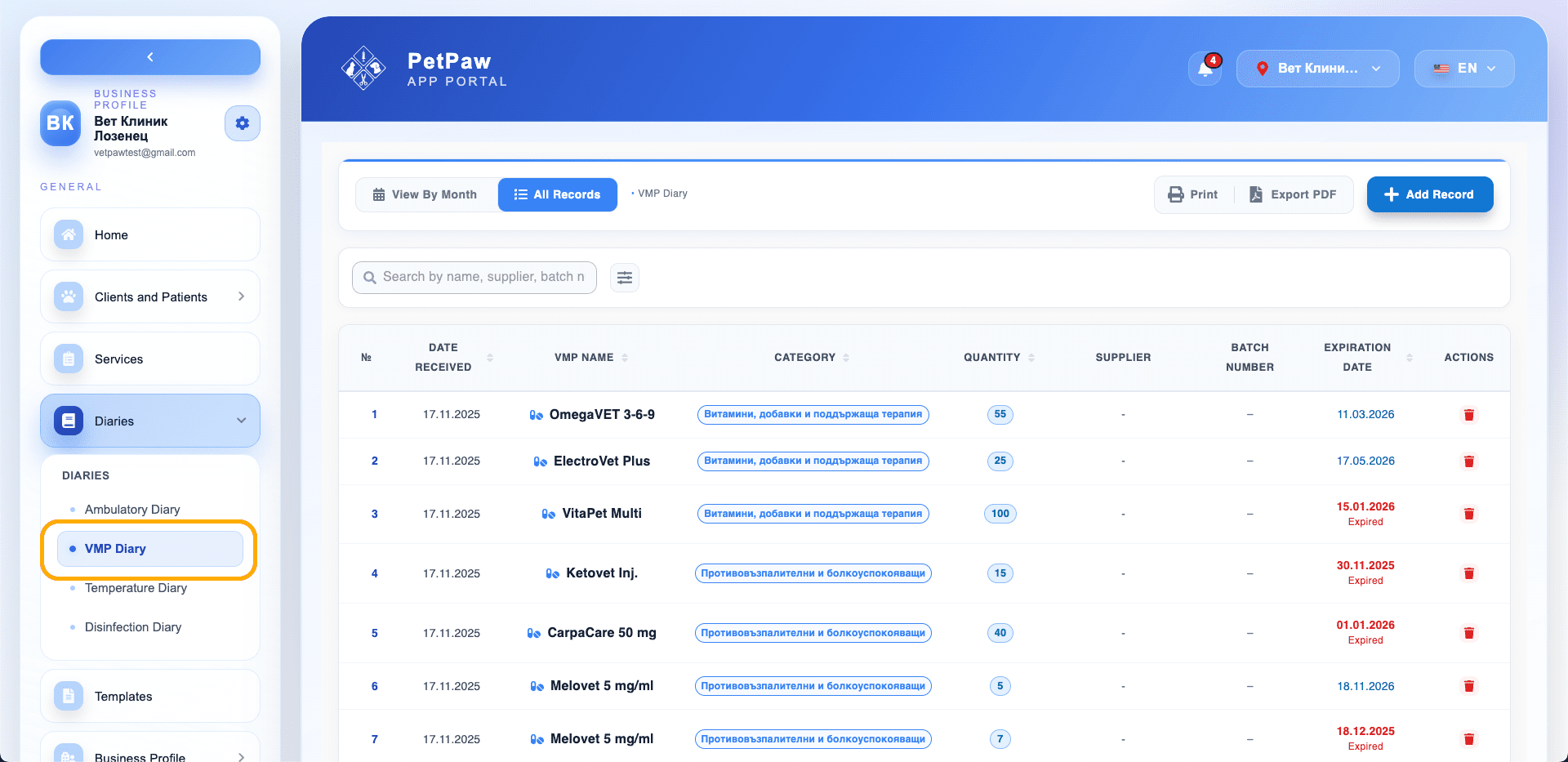
The VMP diary is used for managing and tracking veterinary medicinal products (medications) at your clinic.
It helps with:
- Inventory tracking
- Batch tracking
- Expiration date control
- Regulatory reporting
Viewing Records
Each record contains:
- Date received
- VMP name
- Category
- Quantity
- Supplier
- Batch number
- Expiration date
You can use:
- Search
- Filtering
- Sorting
Adding a New Record
- Open Journals
- Select VMP Diary
- Click "Add record"
An input form will open.
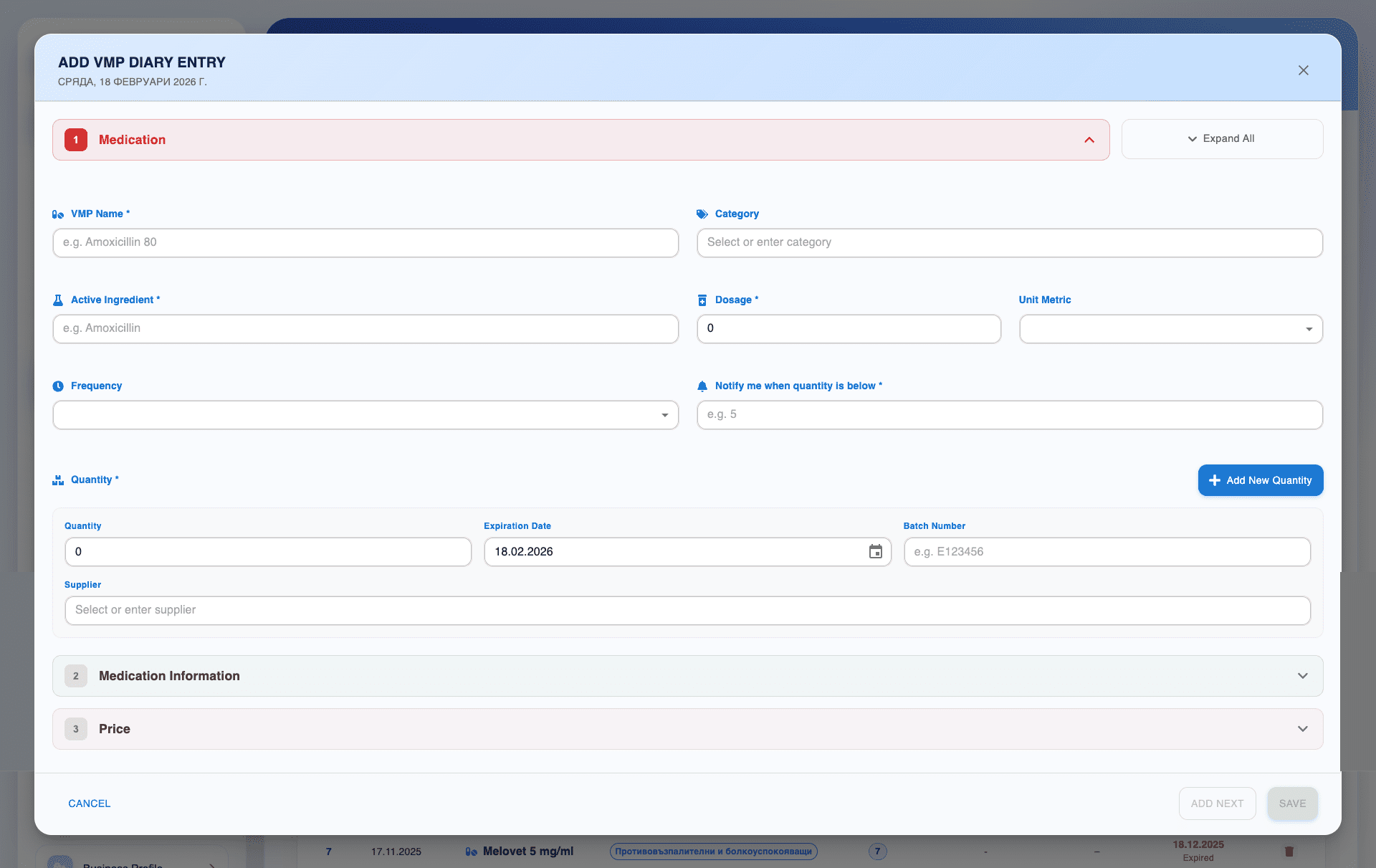
Medication Information
Fill in:
- VMP name
- Category
- Active ingredient
- Dosage
- Unit of measure
- Frequency (if applicable)
Quantity Management
Add:
- Quantity
- Expiration date
- Batch number
- Supplier
You can add more than one batch using "Add new quantity".
Low Stock Notifications
The "Notify me when quantity is lower than" field allows you to receive a notification when minimum quantity is reached.
Export and Print
From the top of the page, you can:
- Print the diary
- Export a PDF file
Tips
- Regularly monitor expiration dates.
- Use categories for easier organization.
- Add accurate batch numbers for regulatory traceability.