
Temperature Diary
Temperature Diary
The temperature diary is used for recording and tracking temperature measurements at the clinic.
It helps with:
- Storage condition control
- Regulatory compliance
- Automated measurement recording
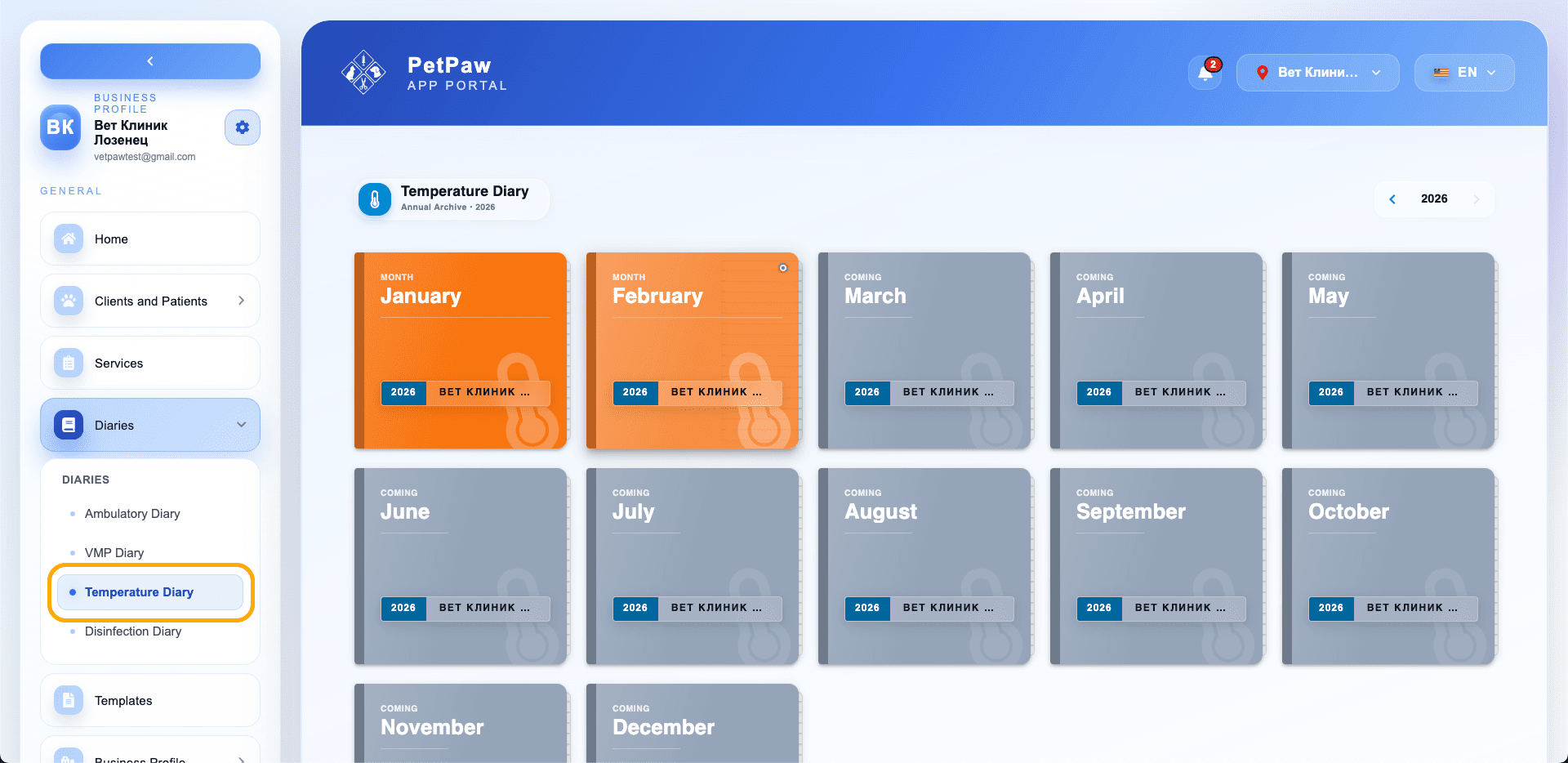
Viewing Monthly Archive
The diary is organized by months.
To open:
- Select the year
- Click on the desired month
You will see a list of all temperature records.
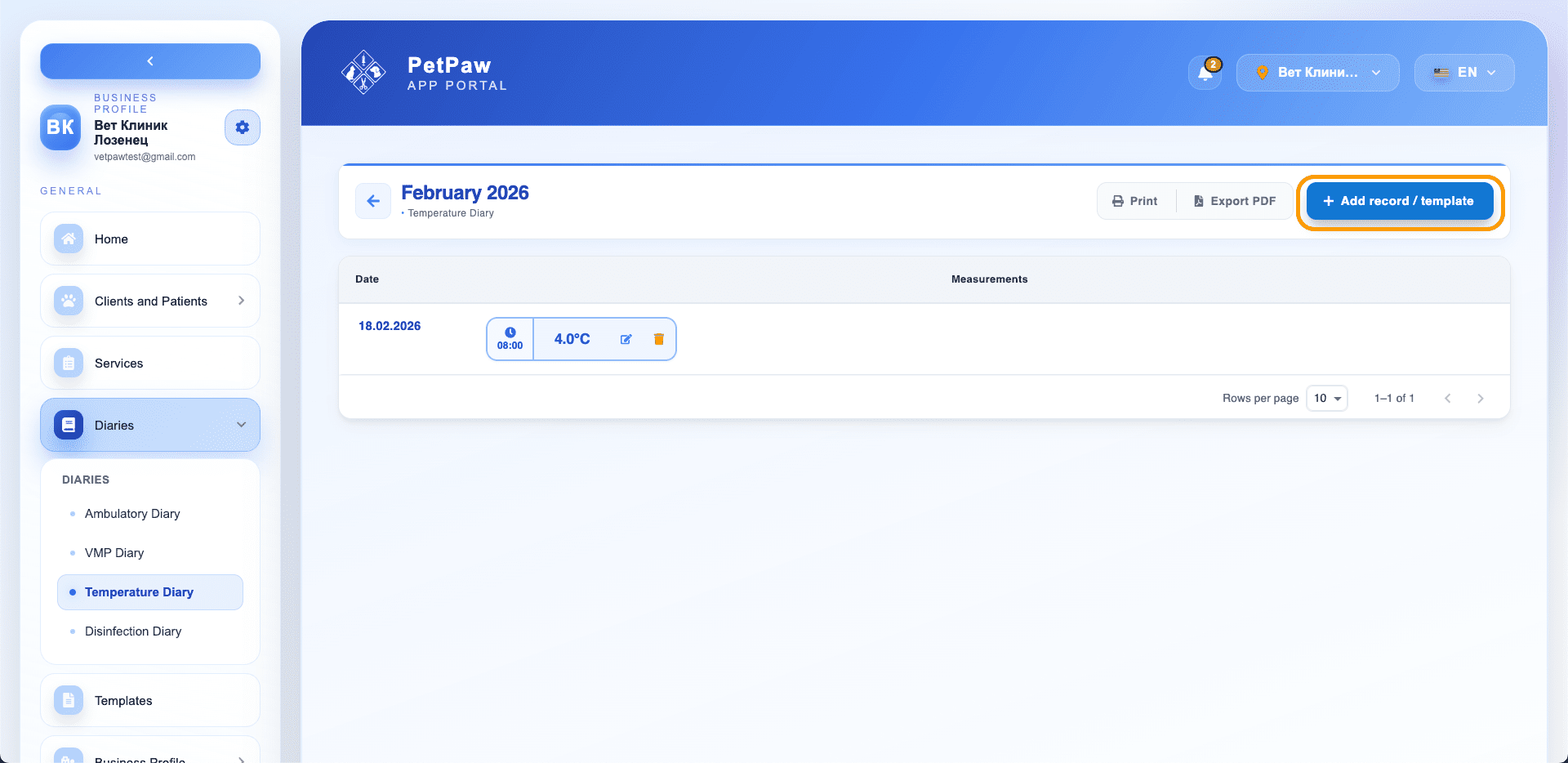
Adding a New Temperature Record
- Open the specific month
- Click "Add record / template"
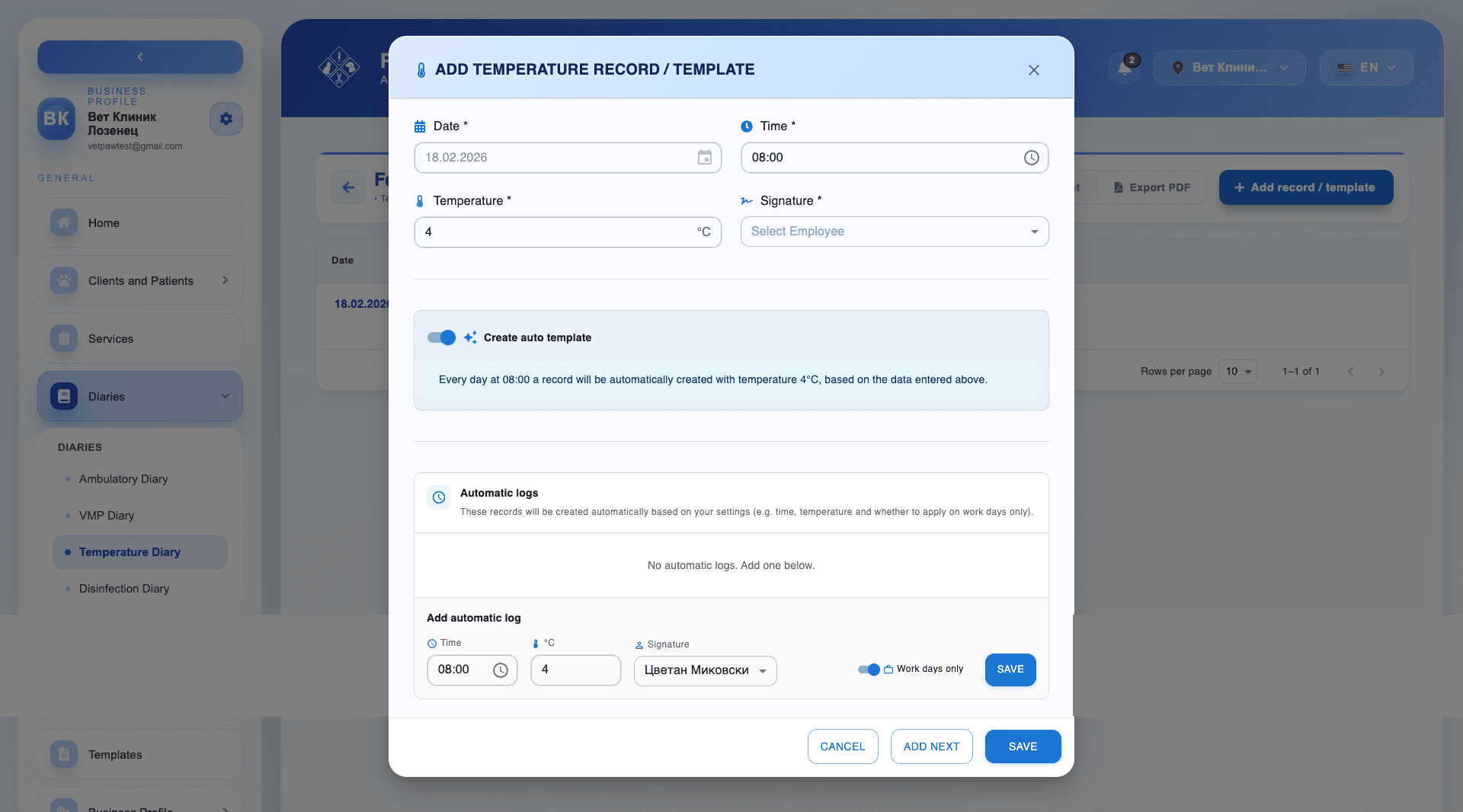
- Fill in:
- Date
- Time
- Temperature
- Signature (employee)
Click Save.
Automatic Templates
You can create an automatic template for daily measurements.
When activated:
- The system automatically creates records
- Uses the set time, temperature, and signature
Additional settings:
- Create only on working days
- Multiple automatic records
Managing Records
From the list, you can:
- Edit
- Delete
- View measurements
Export and Print
The temperature diary allows:
- Printing
- Export in PDF format
Tips
- Use automatic templates for regular checks.
- Regularly check for missing records.
- Maintain accurate signatures for regulatory traceability.