
Ambulatory Diary and BFSA Mode
Ambulatory Diary
The ambulatory diary contains all medical records and treatments performed at the clinic.
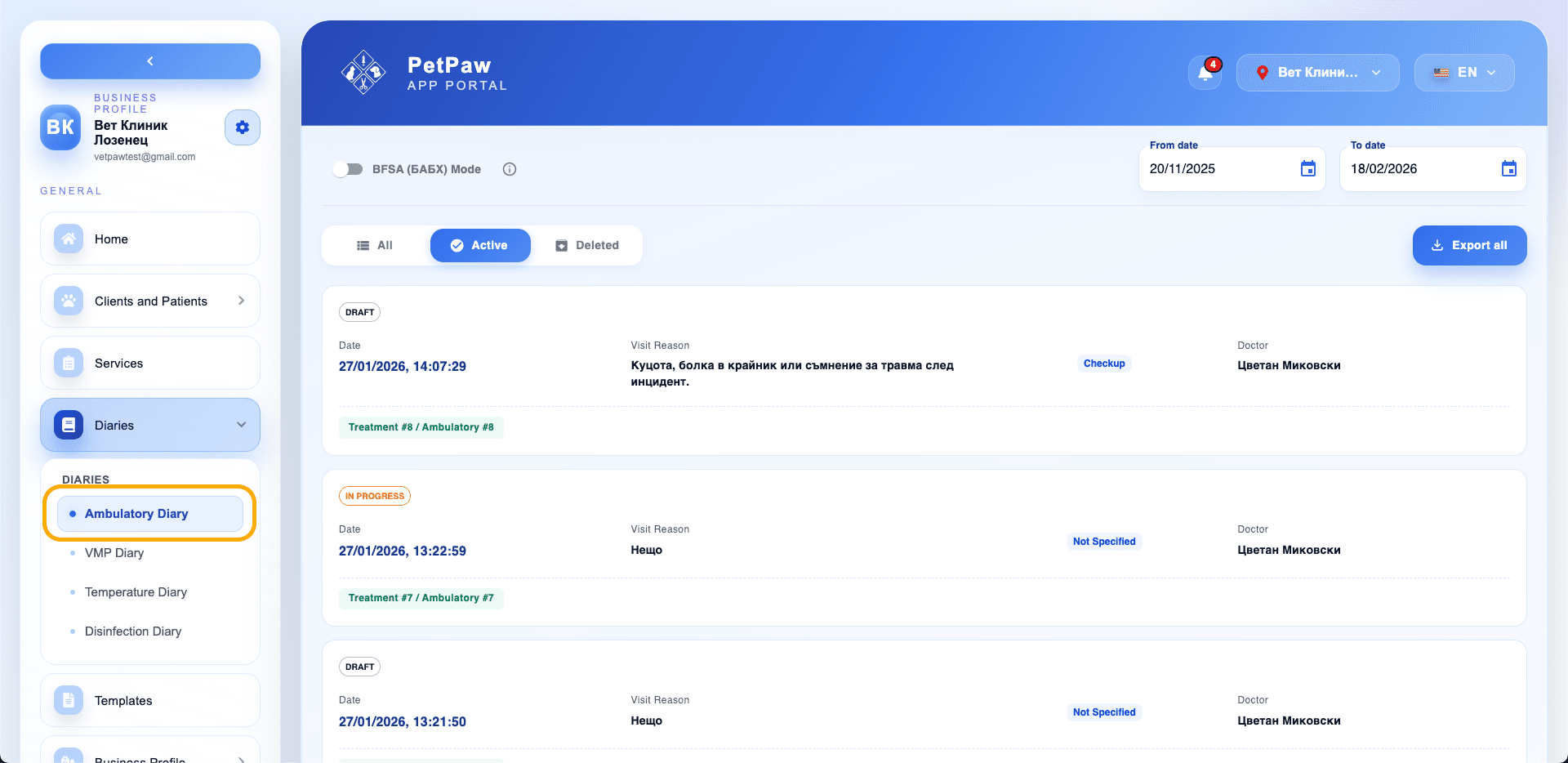
Here you can:
- View records by date
- Filter active or deleted records
- Export data
- Work in compliance with BFSA requirements
Viewing Records
Each record includes:
- Date and time
- Reason for visit
- Treatment type
- Doctor
- Record number
Use the filters:
- All
- Active
- Deleted
BFSA Mode
The BFSA mode formats medical records according to the requirements of the Bulgarian Food Safety Agency (BFSA).
When the mode is activated:
- Records are prepared in a format compliant with official standards
- Export generates a single PDF file instead of a ZIP archive
- Data structure follows regulatory reporting requirements
Exporting the Diary
- Select a period using the "From date" and "To date" fields
- Click "Export all"
Behavior depending on mode:
- Without BFSA mode → ZIP archive with records
- With BFSA mode active → single PDF file in official format
Tips
- Use BFSA mode when preparing official reports.
- Check the period before exporting.
- Make sure all records are finalized.