
Employees and Roles
Employees and Roles
The Business Profile → Doctors page allows you to manage doctors/employees in your organization and control system access through roles.
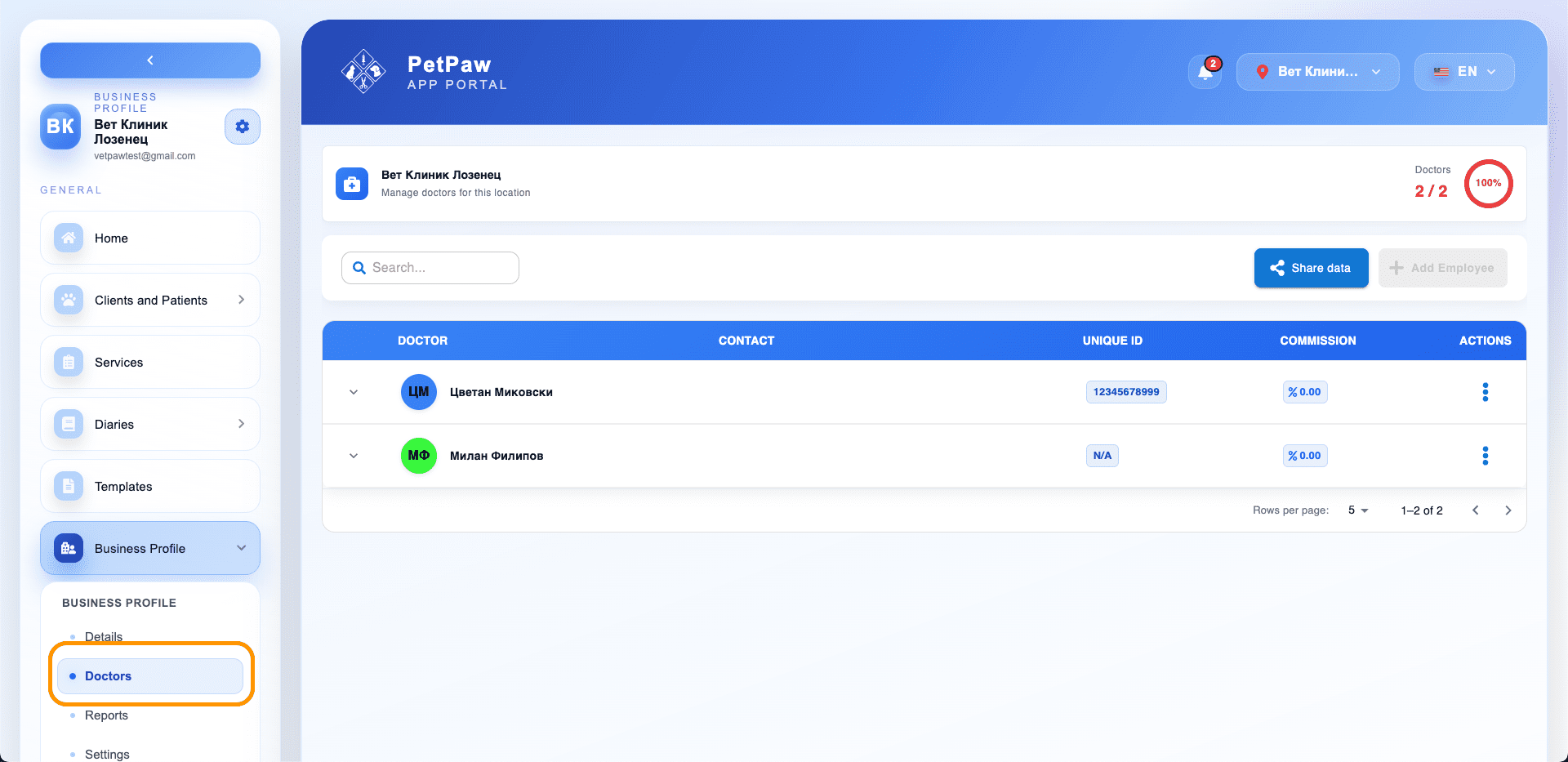
Accessing the Page
- Open Business Profile
- Select Doctors
Here you will see a list of all added doctors/employees for the current location, as well as management actions.
Organization Roles
When adding or editing an employee, you can set the Organization Role.
Admin
The Admin has full access to administrative functionalities, including settings and data management.
Suitable for: clinic owner, manager, chief administrator.
Admin and Employee
A combined role for users who both manage the organization and actively work with patients.
Suitable for: manager/doctor, chief veterinarian, owner who works at the clinic.
Employee
The Employee has access mainly to operational work (patients, records, journals), without administrative settings.
Suitable for: veterinary doctors, assistants, staff.
Adding or Editing an Employee
- Open Business Profile → Doctors
- Select an employee from the list (or create a new one if available)
- In the edit window, fill in:
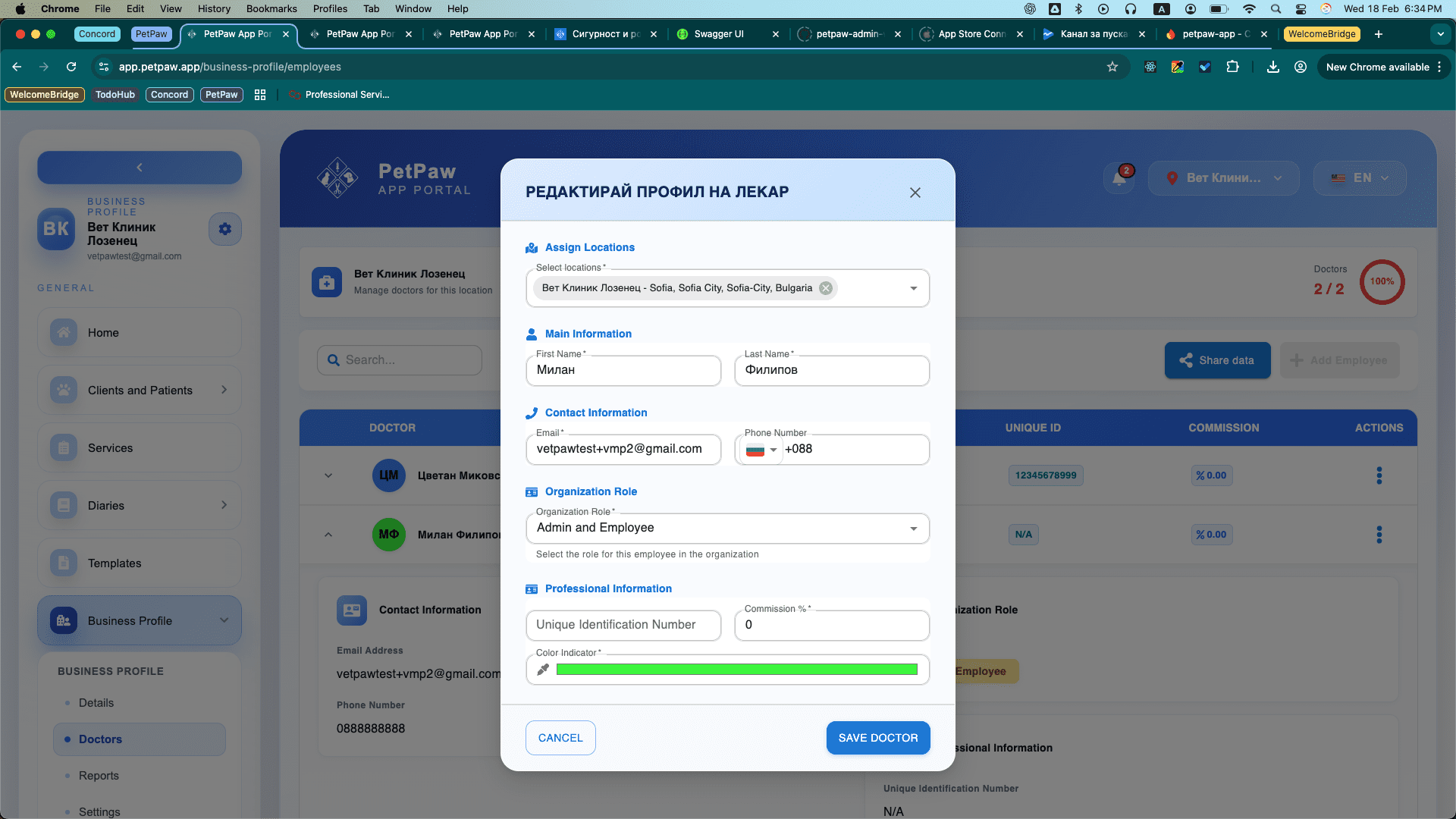
Assign Locations
- Select locations – assign which business locations the employee belongs to.
Main Information
- First Name
- Last Name
Contact Information
- Phone Number
Organization Role
- Organization Role – select one of the roles:
- Admin
- Admin and Employee
- Employee
Professional Information
- Unique Identification Number – unique identifier (if applicable to your process)
- Commission % – commission percentage for the employee (if you use a commission scheme)
- Color Indicator – color indicator (for easier visual identification in the system)
- Click Save Doctor
Security Best Practices
- Grant Admin access only to trusted people.
- Use the Employee role for most staff (minimum necessary permissions).
- Each employee should have their own account (do not share logins).
- When team changes occur — update roles and locations immediately.