
Managing Client Reminders
Client Reminders
Reminders allow you to plan future actions such as:
- Vaccinations
- Follow-up examinations
- Medication intake
- Subsequent visits
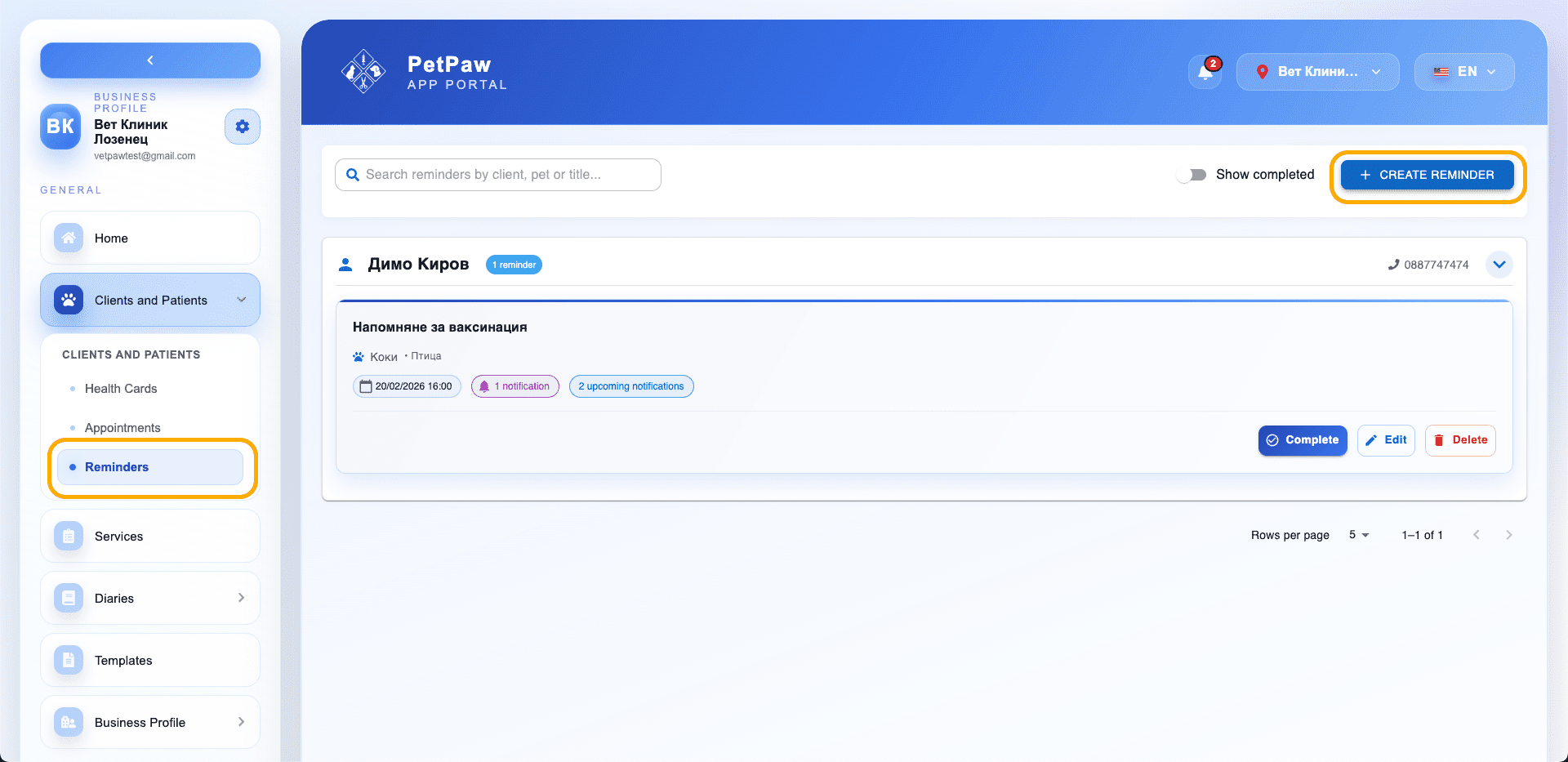
How to Create a New Reminder
- Open Clients and Patients
- Select Reminders
- Click "Create Reminder"
A creation window will open.
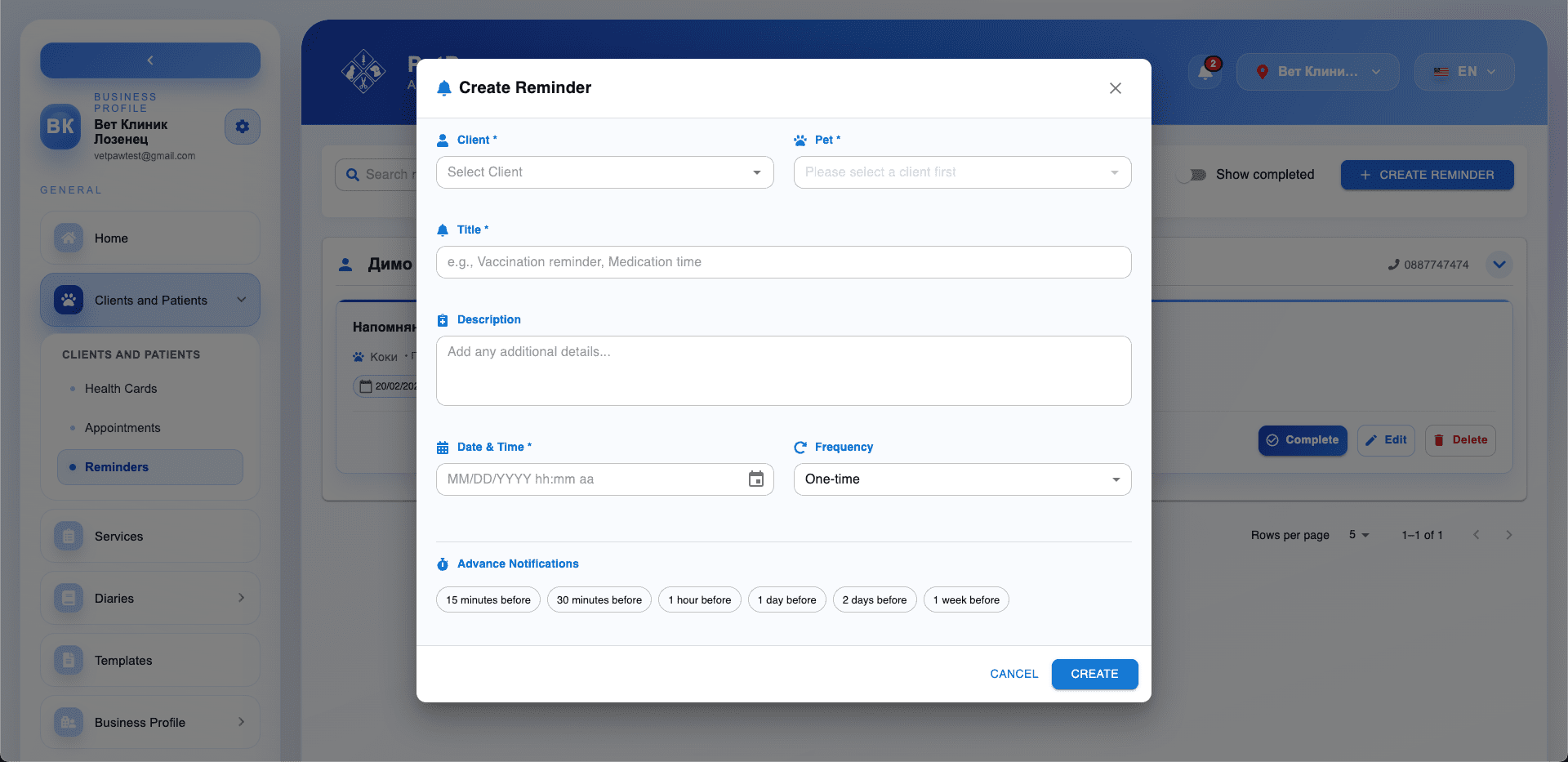
Basic Information
Fill in the following fields:
- Client
- Pet
- Title (e.g., Vaccination Reminder)
- Description (optional)
Date and Frequency
Set when the reminder should be sent:
- Date and time
- Frequency (e.g., one-time or recurring)
Advance Notifications
You can set notifications before the main date:
- 15 minutes before
- 30 minutes before
- 1 hour before
- 1 day before
- 2 days before
- 1 week before
Select one or more.
Managing Reminders
From the reminders list, you can:
- Complete a reminder
- Edit
- Delete
Viewing Completed Reminders
Enable the "Show completed" option to see finished entries.
Tips
- Use reminders for regular medical procedures.
- Recurring reminders help with long-term patient care.
- Advance notifications reduce the risk of missed appointments.