
Sharing Clients and Patients Between Business Locations
Sharing Clients and Patients
PetPaw allows you to share clients and their patients between different business locations. This is useful when you work with more than one clinic or branch.
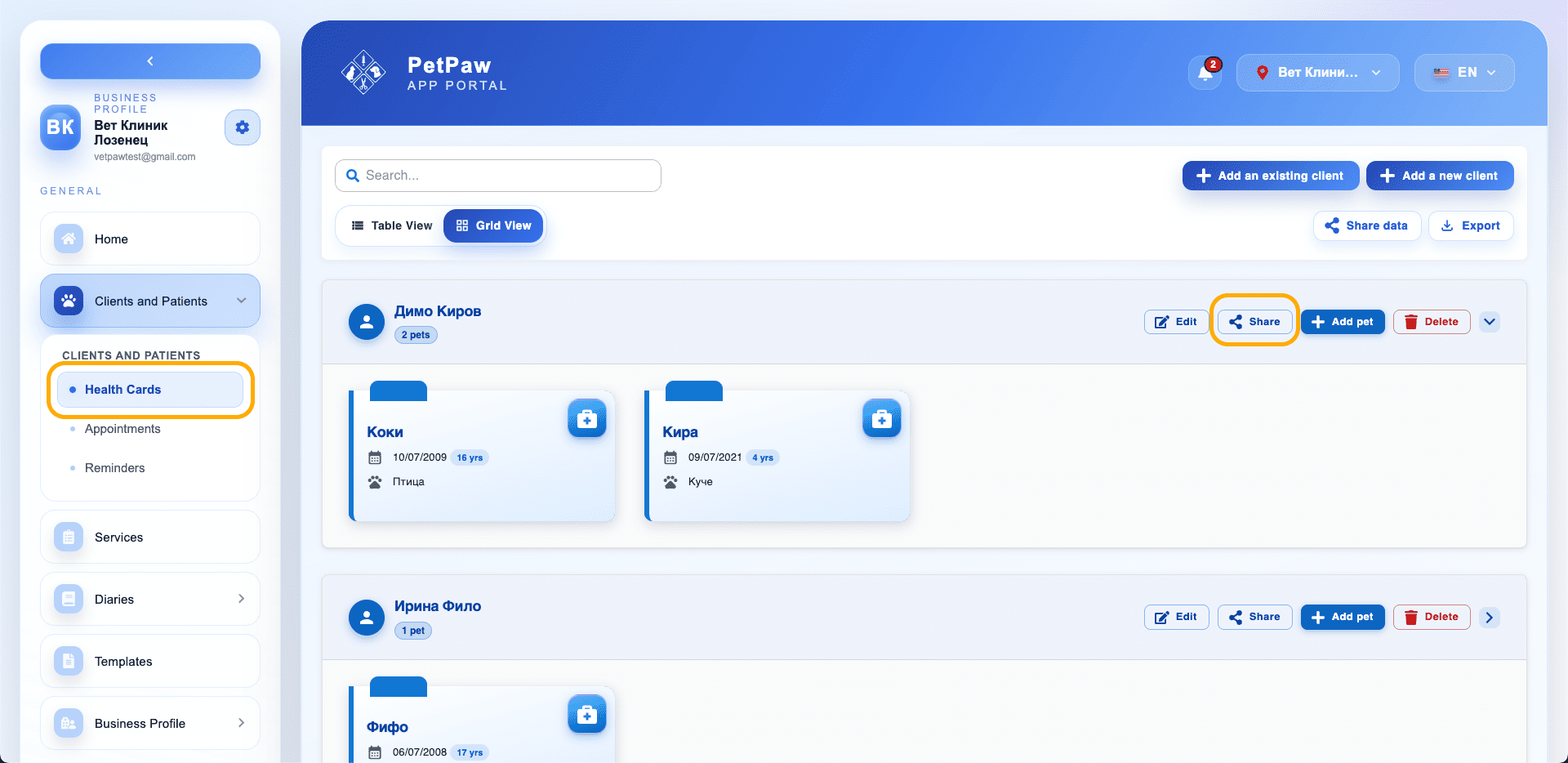
How to Share a Client
- Open Clients and Patients
- Select Health Cards
- Find the desired client
- Click the "Share" button
A window for selecting locations will open.

Selecting Business Locations
In the window, you will see a list of available locations.
You can:
- Select one or more locations
- Use the "Select all locations" button for quick selection
After selecting, click "Share".
What Gets Shared
When sharing, access is granted to:
- The client (owner)
- All associated patients
- Health cards
- Medical records
Important
- Only locations within your business can be selected.
- Changes to shared data will be visible in other locations as well.
- Make sure to share only when collaboration is needed.
Tips
- Use sharing when a patient visits different branches.
- This helps avoid duplicate records and loss of medical history.