
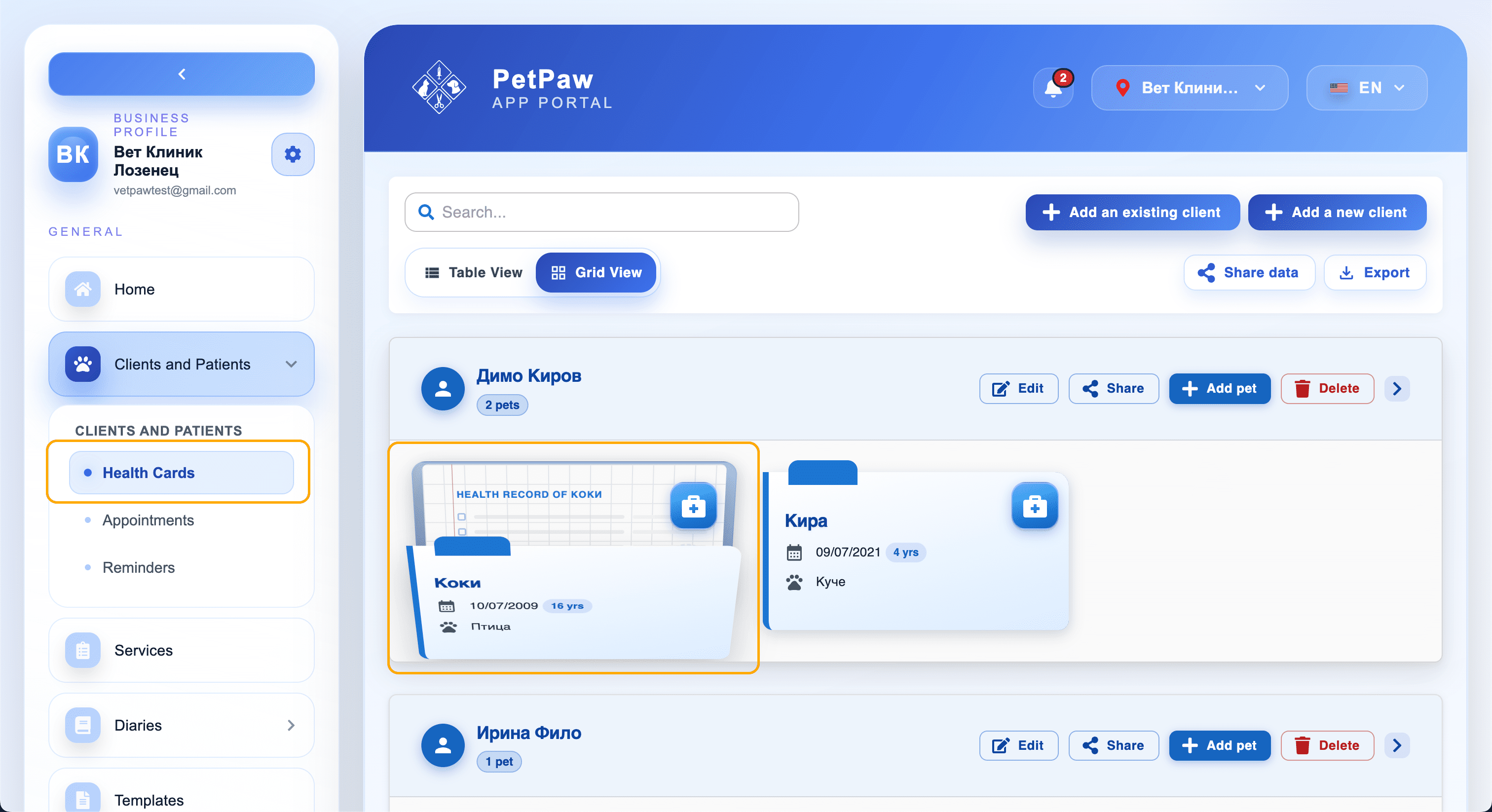
Patient Health Record
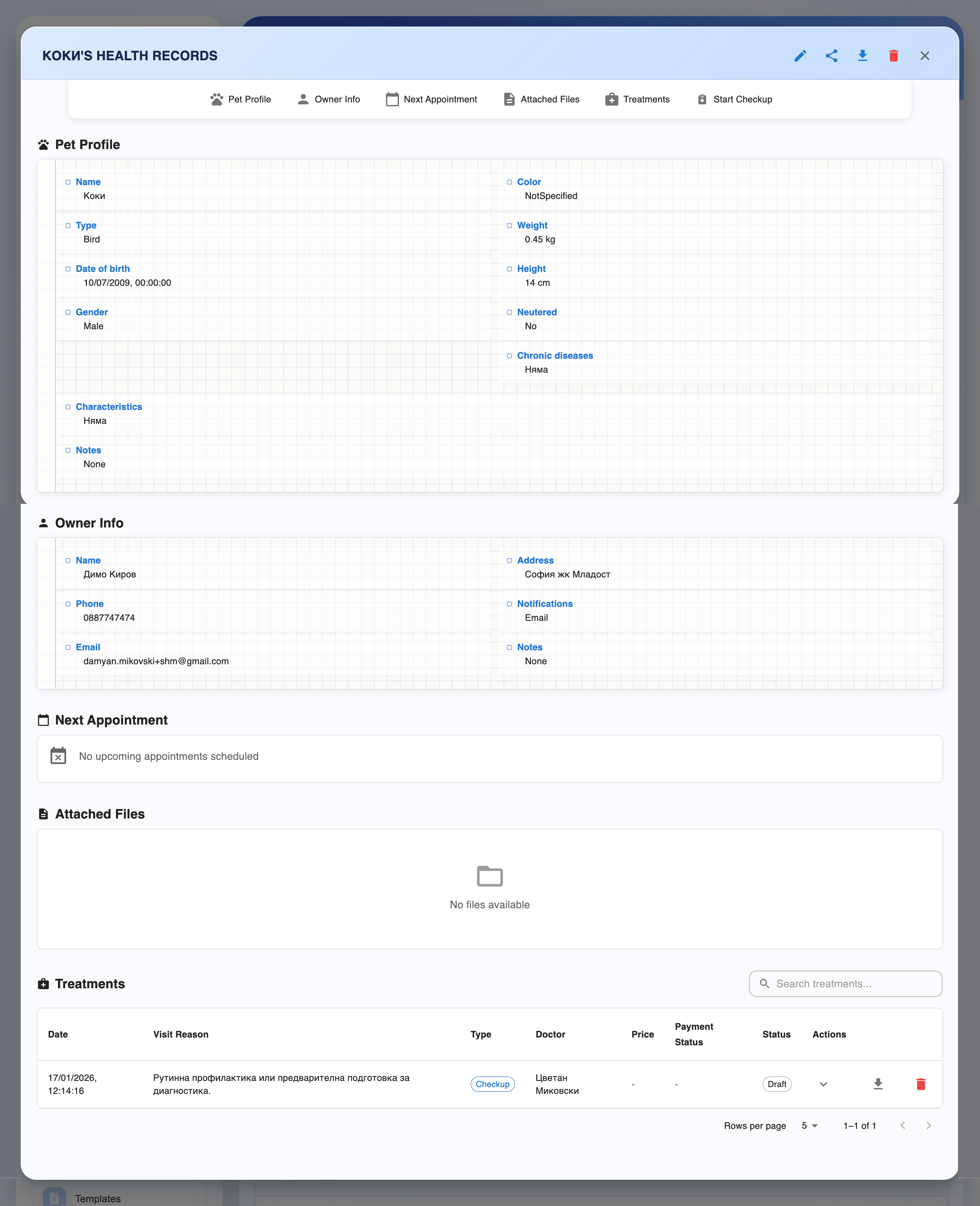
The health record contains all information about a specific patient — from profile and owner to upcoming appointments and treatment history.
Pet Profile
The top section of the record displays basic information about the animal:
- Name
- Species (dog, cat, etc.)
- Breed
- Weight
- Gender
- Age
You can edit the profile by clicking the edit icon next to the patient's name.
Owner Information
Below the pet profile, the owner's details are displayed:
- Name
- Phone number
This makes it easy to contact the owner when needed.
Upcoming Appointment
If there is an upcoming scheduled appointment, it appears in the Upcoming appointment section:
- Date and time
- Appointment type (checkup, vaccination, etc.)
If there is no upcoming appointment, this section will be empty.
Attachments
The Attachments section contains all files related to the patient:
- Lab results
- Photos
- Documents
You can add a new file using the "+" button.
Treatments
The Treatments section displays all past and current treatments:
- Checkup date
- Diagnosis
- Applied procedures
Click on a specific treatment to view full details.
Starting a Checkup
To start a new checkup:
- Click the "Start checkup" button
- A form will open for entering checkup data
Make sure you have selected the correct patient before starting a checkup.