
Adding a New Client and Patient
In PetPaw, creating a new patient starts with creating or selecting an owner (client). Each patient is linked to a specific client.
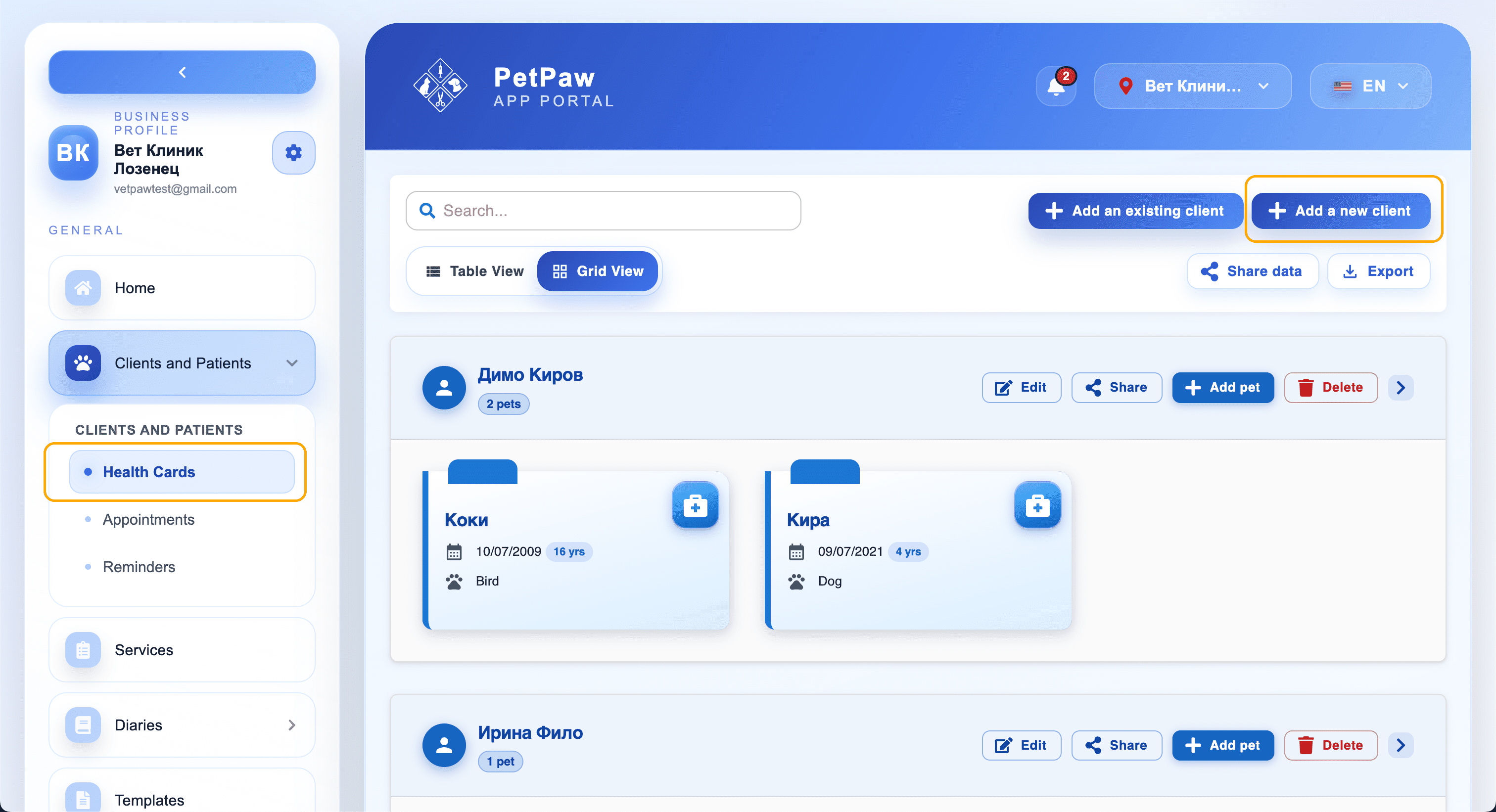
Where to Start
- Open the Clients and Patients menu
- Select Health Cards
- Click the "Add a new client" button
A window will open for adding a client and patient.
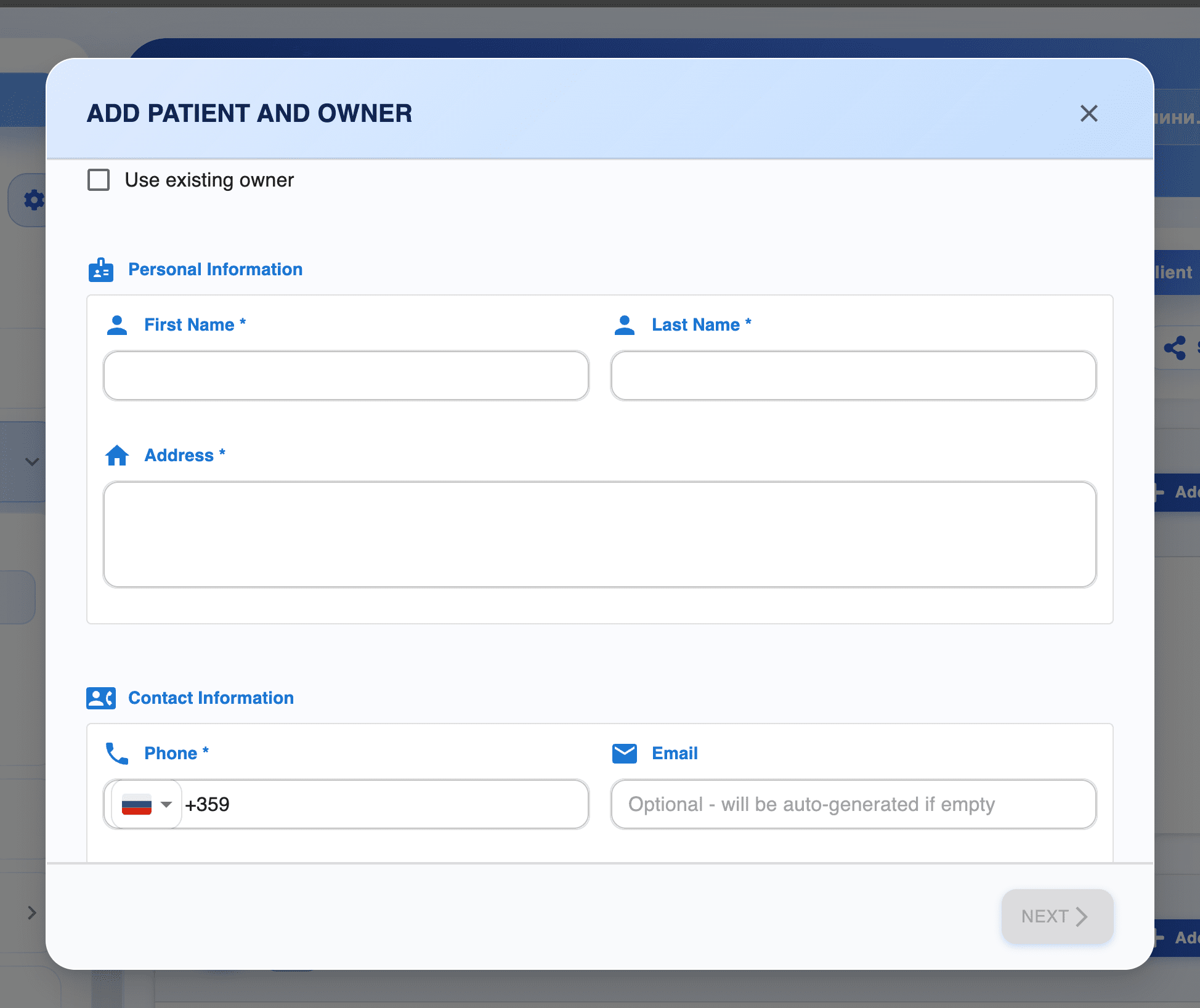
Selecting an Owner
At the top of the window, you will see an option:
- Use existing owner — use this if the client already exists in the system.
If not selected, you will create a new owner.
Personal Information
Fill in the basic client details:
- First Name
- Last Name
- Address
This information is used for identification and contact.
Contact Information
Add contact details:
- Phone — phone number (required)
- Email — email address (optional)
If the email is left empty, the system may automatically generate one.
Adding the Patient
After entering the client data:
- Click Next
- Fill in the patient (pet) information
- Save the record
Tips
- One client can have multiple patients.
- Make sure the phone number is entered correctly to avoid duplicates.
- You can edit the information later.